
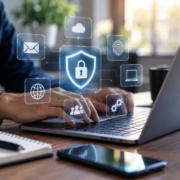
Are Gaps in Your Technology Team Costing You?

Technology has become the backbone of nearly every business. From communicating with customers and managing operations to protecting sensitive data and supporting remote employees, your IT environment plays a critical role in your success.

But what happens when your technology team has gaps?

Whether your business relies on a single IT employee, a small internal department, or no dedicated IT staff at all, missing expertise can quietly impact productivity, security, and profitability. Many organizations don’t realize the true cost of these gaps until a major problem disrupts operations.

At Remington Computer Services, we’ve seen firsthand how businesses benefit from having the right technology support in place. Here are some common IT gaps that could be costing your business and how to address them before they become bigger issues.

The Hidden Cost of Limited IT Resources

Many small and mid-sized businesses ask one person to wear multiple hats. Your “IT person” may also be responsible for facilities, purchasing, security, or other operational tasks.

While they’re doing their best, no one person can be an expert in every area of technology.

Modern IT requires knowledge of:

  • Cybersecurity
  • Cloud services
  • Microsoft 365
  • Networking
  • Backups and disaster recovery
  • Compliance requirements
  • Hardware lifecycle management
  • User support
  • Mobile device management
  • AI and emerging technologies

As technology evolves, it’s becoming increasingly difficult for a single individual to manage every responsibility effectively.

Slow Response Times Impact Productivity

When employees experience technical issues, every minute spent waiting for help is time they aren’t serving customers or completing their work.

If your IT team is stretched too thin, support requests begin piling up.

Employees may experience:

  • Slow computers
  • Printer issues
  • Login problems
  • Software errors
  • Email disruptions
  • Network outages

These problems may seem minor individually, but collectively they can result in dozens or even hundreds of lost productivity hours over the course of a year.

Fast, reliable IT support keeps your team focused on what they do best.

Cybersecurity Requires Specialized Expertise

Cybersecurity has become far more complex than simply installing antivirus software.

Today’s businesses face threats such as:

  • Phishing attacks
  • Ransomware
  • Business email compromise
  • Credential theft
  • Data breaches
  • Social engineering
  • Insider threats

Protecting your business requires multiple layers of security, continuous monitoring, employee education, and ongoing updates.

Without dedicated cybersecurity expertise, important vulnerabilities may go unnoticed until it’s too late.

Technology Projects Get Delayed

Every business has projects they’ve been meaning to tackle.

Maybe it’s replacing aging computers.

Migrating to Microsoft 365.

Improving Wi-Fi coverage.

Implementing multi-factor authentication.

Updating servers.

Moving to the cloud.

Unfortunately, when an already-busy IT team spends every day responding to support tickets, strategic improvements often get pushed to the bottom of the priority list.

This creates a cycle where outdated technology remains in place, increasing risk while reducing efficiency.

Vacation, Illness, and Turnover Create Risk

What happens if your only IT employee takes vacation?

Or becomes sick?

Or accepts another job?

Many businesses discover they have no backup plan.

Critical passwords, system knowledge, vendor relationships, and documentation may exist only in one person’s head.

That’s a significant business risk.

Building redundancy into your IT support ensures your business can continue operating regardless of staffing changes.

Compliance Isn’t Getting Any Easier

Many industries now face increasing regulatory requirements related to cybersecurity and data protection.

Healthcare.

Financial services.

Legal firms.

Manufacturing.

Government contractors.

Insurance.

Even businesses without formal compliance requirements are increasingly being asked by customers and partners to demonstrate strong cybersecurity practices.

Without the right expertise, maintaining compliance can become overwhelming.

Technology Should Support Growth

As your business grows, your technology should grow with it.

Unfortunately, businesses often outgrow the systems that once worked well.

New employees are added.

Remote workers increase.

Cloud applications expand.

Security requirements evolve.

Without strategic planning, technology becomes reactive instead of proactive.

An experienced IT partner helps create a roadmap that supports future growth rather than simply fixing today’s problems.

Co-Managed IT: Filling the Gaps

Many organizations already have capable internal IT staff.

They simply need additional support.

Co-managed IT allows businesses to supplement their existing team with additional expertise and resources.

This approach can provide:

  • Help desk support
  • Cybersecurity expertise
  • Project assistance
  • Strategic planning
  • Network monitoring
  • Backup management
  • Vendor coordination
  • After-hours support
  • Specialized technical knowledge

Instead of replacing your internal IT team, co-managed IT strengthens it.

Your staff gains access to additional experts while remaining in control of day-to-day operations.

Managed IT Services: A Complete Technology Team

For organizations without dedicated IT staff, managed IT services provide access to an entire team of technology professionals for a predictable monthly investment.

Rather than relying on one individual, businesses benefit from specialists across multiple disciplines.

This includes proactive monitoring, maintenance, cybersecurity, strategic planning, and responsive support—all working together to keep systems running smoothly.

The result is fewer surprises, reduced downtime, and technology that supports your business goals.

Partner with Remington Computer Services

Technology should empower your business not create obstacles.

At Remington Computer Services, we help businesses eliminate technology gaps by providing dependable IT support, proactive maintenance, cybersecurity solutions, cloud services, and strategic guidance tailored to each organization’s unique needs.

Whether you need to supplement your existing IT department or are looking for a fully managed technology partner, our experienced team is here to help you stay productive, protected, and prepared for the future.

Final Thoughts

Technology gaps don’t always announce themselves with major outages.

More often, they appear as slow response times, delayed projects, recurring technical issues, growing security risks, and missed opportunities.

Over time, those small gaps can become expensive problems.

Investing in the right technology support isn’t just about fixing computers, it’s about protecting your business, improving productivity, reducing risk, and creating a stronger foundation for future growth.

If you’ve ever wondered whether your technology team has the resources and expertise your business needs, now is the perfect time to evaluate your current IT strategy. The right partner can help close those gaps before they begin costing your business time, money, and peace of mind.

Remington Computer Services has been serving the Rhode Island, Connecticut and Massachusetts area since 2010, providing IT Support such as technical helpdesk support, computer support and consulting to small and medium-sized businesses. Our experience has allowed us to build and develop the infrastructure needed to keep our prices affordable and our clients up and running. Schedule a complimentary consultation today. 

 

What To Do If You Get A Virus

Few things are more frustrating than discovering your computer has been infected with a virus. Whether your device suddenly slows down, displays endless pop-ups, crashes unexpectedly, or starts behaving strangely, acting quickly can help limit the damage.

Knowing what to do in those first few minutes can protect your data, reduce downtime, and prevent the infection from spreading to other devices on your network.

Disconnect From the Internet

If you suspect your computer has a virus, disconnect it from the internet immediately. Unplug the network cable or turn off Wi-Fi to stop the malware from communicating with external servers or spreading to other devices on your network.

If you’re in a business environment, notify your IT team as soon as possible so they can determine whether other systems may be affected.

Stop Using the Computer

Avoid logging into bank accounts, email, or other sensitive websites while the computer may be compromised. Every additional action could expose passwords or sensitive information if malware is actively running.

If you need to change important passwords, do so from a different, trusted device.

Run a Trusted Antivirus Scan

Use reputable antivirus or endpoint protection software to perform a full system scan. Allow the software to quarantine or remove any threats it detects.

Keep in mind that not every infection can be completely removed with antivirus software alone. Some advanced malware requires professional remediation to ensure it has been fully eliminated.

Don’t Ignore the Warning Signs

Some of the most common indicators of a virus include:

  • Frequent pop-up advertisements
  • Slow computer performance
  • Programs opening or closing unexpectedly
  • Browser redirects
  • Unknown software appearing on your device
  • Files disappearing or becoming encrypted
  • High CPU or hard drive activity even when you’re not using the computer

If you notice one or more of these symptoms, it’s best to investigate before the problem gets worse.

Back Up Important Files

If your files are still accessible, create a backup of important documents, photos, and other essential data. Use an external drive or secure cloud storage, but avoid backing up programs or suspicious files that could contain malware.

Having current backups is one of the best defenses against ransomware and hardware failures.

Keep Software Up to Date

Many viruses exploit outdated operating systems, web browsers, and applications that have known security vulnerabilities.

Once your computer has been cleaned, install all available updates and security patches. Keeping your software current significantly reduces your risk of future infections.

Change Your Passwords

If you believe malware may have captured your login credentials, change your passwords as soon as possible using a clean device. Prioritize accounts such as:

  • Email
  • Banking and financial institutions
  • Microsoft 365 or Google Workspace
  • Business applications
  • Social media
  • Shopping websites

Whenever possible, enable multi-factor authentication to provide an additional layer of security.

Know When to Call the Professionals

Not every virus can be removed with a simple antivirus scan. If your computer continues to behave abnormally, repeatedly becomes infected, or contains sensitive business information, professional assistance is often the safest option.

For businesses, a single infected computer can quickly become a network-wide security incident if it is not handled correctly. A proactive managed technology provider can isolate infected systems, remove threats, restore affected devices, and strengthen your security to help prevent future attacks. Remington Computer Services specializes in proactive monitoring, managed IT services, backup and disaster recovery, and cybersecurity solutions that help businesses stay protected before problems become costly.

Prevention Is Always Better Than Recovery

Recovering from a virus can be expensive and time-consuming, but preventing one is far easier. Regular software updates, strong passwords, employee cybersecurity training, reliable endpoint protection, and routine backups all work together to reduce your risk.

If your business wants greater peace of mind, partnering with an experienced IT provider can help keep your systems secure, your employees productive, and your operations running smoothly.

Remington Computer Services has been serving the Rhode Island, Connecticut and Massachusetts area since 2010, providing IT Support such as technical helpdesk support, computer support and consulting to small and medium-sized businesses. Our experience has allowed us to build and develop the infrastructure needed to keep our prices affordable and our clients up and running. Schedule a complimentary consultation today. 
Does Using Outdated Equipment Put Your Office At Risk?

Many businesses continue using computers, servers, networking equipment, and other technology long after they should have been replaced. After all, if a device still powers on and gets the job done, why spend money upgrading it?

The reality is that outdated technology can create significant risks for your business. While older equipment may appear to function normally, it often introduces security vulnerabilities, productivity issues, and costly downtime that can impact your bottom line. Modern businesses rely on technology more than ever, and aging equipment can quickly become a liability.

The Security Risks of Aging Technology

One of the biggest concerns with outdated equipment is cybersecurity.

Manufacturers eventually stop providing security updates and support for older hardware and operating systems. Once a device reaches its end of life, newly discovered vulnerabilities may never be patched. This creates opportunities for cybercriminals to exploit known weaknesses and gain access to your systems.

Even if your business uses antivirus software and firewalls, unsupported technology can leave gaps in your security strategy. Cyber threats continue to evolve, and older systems are often unable to keep pace with modern security requirements.

Downtime Becomes More Likely

Technology does not last forever.

As equipment ages, components become more prone to failure. Hard drives wear out, power supplies fail, memory degrades, and networking equipment becomes less reliable. When critical systems go down unexpectedly, productivity can come to a halt.

For many businesses, even a few hours of downtime can result in lost revenue, missed opportunities, frustrated customers, and reduced employee productivity. Replacing aging equipment before it fails is often far less expensive than dealing with the consequences of an unexpected outage.

Older Equipment Slows Employees Down

Technology should help employees work efficiently, not create obstacles.

Outdated computers often struggle with modern applications, cloud services, video conferencing platforms, and security software. Employees may experience slow performance, frequent crashes, or lengthy startup times that add up over the course of a workday.

While these issues may seem minor individually, they can have a significant impact on productivity when multiplied across an entire organization.

Compatibility Issues Continue to Grow

Business software continues to evolve.

As vendors release new versions of applications and cloud services, older hardware may no longer meet performance requirements or support necessary features. This can make it difficult to adopt new technologies that improve efficiency and competitiveness.

Businesses that delay upgrades often find themselves facing larger and more expensive technology overhauls later because multiple systems become outdated at the same time.

Maintenance Costs Often Exceed Upgrade Costs

Many organizations assume keeping older equipment saves money.

In reality, aging technology frequently requires more support, troubleshooting, repairs, and maintenance. Internal IT teams or managed service providers may spend increasing amounts of time addressing recurring issues rather than focusing on strategic improvements.

At some point, the cost of maintaining outdated systems exceeds the cost of replacing them.

Signs Your Equipment May Need Replacing

If your business is experiencing any of the following issues, it may be time to evaluate your technology:

  • Frequent crashes or unexpected reboots
  • Slow performance and long load times
  • Unsupported operating systems
  • Hardware older than five to seven years
  • Increasing repair costs
  • Compatibility issues with modern software
  • Recurring network reliability problems
  • Difficulty meeting cybersecurity requirements

A proactive technology assessment can help identify potential risks before they become major problems.

Building a Technology Lifecycle Strategy

The most successful organizations do not wait for equipment to fail before replacing it.

Instead, they develop a technology lifecycle plan that outlines when devices should be upgraded, budgeted for, and retired. This approach helps businesses avoid unexpected expenses, improve security, and maintain reliable operations.

By taking a proactive approach, organizations can spread costs over time while ensuring employees always have access to the tools they need to succeed.

How Remington Computer Services Can Help

At Remington Computer Services, we help businesses evaluate their current technology, identify risks, and develop strategic upgrade plans that align with their goals and budget. Our team provides proactive IT support, cybersecurity solutions, and technology consulting designed to keep your business secure, productive, and prepared for future growth.

If you’re unsure whether your equipment is helping or hurting your business, now is the perfect time to assess your technology environment. The cost of waiting may be higher than you think.

Remington Computer Services has been serving the Rhode Island, Connecticut and Massachusetts area since 2010, providing IT Support such as technical helpdesk support, computer support and consulting to small and medium-sized businesses. Our experience has allowed us to build and develop the infrastructure needed to keep our prices affordable and our clients up and running. Schedule a complimentary consultation today. 

Remote Work Data Security Tips for Businesses

Remote work is here to stay. It offers flexibility, improves productivity, and allows businesses to hire from anywhere. But it also introduces new risks that many organizations are not fully prepared for.

When employees work from home, your data is no longer protected by a single office network. It is spread across multiple devices, locations, and connections. That shift creates more opportunities for cyber threats if the right safeguards are not in place.

At Remington Computer Services, we help businesses secure their data no matter where their employees are working. Here is how to keep your business protected in a remote environment.

Use Secure Connections for All Work Activity

One of the biggest risks in remote work is unsecured internet connections. Home networks and public WiFi are often less secure than office environments.

Employees should:

  • Use password-protected home networks with strong encryption
  • Avoid public WiFi whenever possible
  • Use a VPN when accessing company systems

A VPN creates an encrypted connection that protects sensitive data from being intercepted.

Without secure connections, data can be exposed without anyone realizing it.

Require Strong Passwords and Multi-Factor Authentication

Passwords are still one of the most common ways attackers gain access to systems.

To reduce risk:

  • Require strong, unique passwords for all accounts
  • Implement multi-factor authentication across all systems
  • Consider using a password manager for employees

Even if a password is compromised, multi-factor authentication adds an extra layer of protection that can stop unauthorized access.

Keep Devices and Software Updated

Outdated systems are one of the easiest targets for cybercriminals.

When employees work remotely, updates can be delayed or ignored. That creates vulnerabilities attackers can exploit.

Businesses should:

  • Enable automatic updates on all devices
  • Ensure antivirus and security tools are up to date
  • Regularly patch operating systems and applications

Keeping systems updated reduces the window of opportunity for attackers.

Use Company-Managed Devices

Allowing employees to use personal devices for work can create major security risks.

Personal devices may lack proper security controls, making them more vulnerable to malware or unauthorized access.

Whenever possible:

  • Provide employees with company-managed devices
  • Install standard security tools and monitoring
  • Restrict access from unapproved devices

This ensures consistency and gives your IT team better visibility and control.

Encrypt Sensitive Data

Data should always be protected, both in transit and at rest.

This means:

  • Using encrypted file storage and sharing systems
  • Avoiding unsecured methods like sending sensitive files via email
  • Ensuring devices have encryption enabled

Even if data is intercepted or accessed, encryption prevents it from being read without proper authorization.

Train Employees on Cybersecurity Awareness

Technology alone is not enough to keep your data safe. Employees play a critical role in security.

Remote workers are often targeted with phishing emails and social engineering attacks because they are outside the traditional office environment.

Training should include:

  • How to recognize phishing attempts
  • Safe browsing and downloading practices
  • Proper handling of sensitive information

A well-informed team is one of the strongest defenses against cyber threats.

Implement Access Controls

Not every employee needs access to every system.

Limiting access reduces the impact of a potential breach.

Businesses should:

  • Use role-based access controls
  • Regularly review permissions
  • Remove access for former employees immediately

The less access available, the less damage an attacker can do.

Monitor and Manage Remote Activity

Visibility becomes more challenging when employees are working from different locations.

Without monitoring, threats can go unnoticed until it is too late.

Organizations should:

  • Monitor network activity and logins
  • Use endpoint detection and response tools
  • Conduct regular security audits

Continuous monitoring helps identify and stop threats early.

Protect Physical Devices

Remote work also introduces physical security risks.

Employees may work in shared spaces where devices can be seen or accessed by others.

Best practices include:

  • Locking devices when not in use
  • Keeping work devices separate from personal use
  • Avoiding leaving devices unattended

Physical access can quickly become a digital security issue if not managed properly.

Have a Clear Remote Work Security Policy

One of the biggest gaps in many organizations is the lack of clear guidelines.

Employees need to know:

  • What is allowed and what is not
  • Which tools they should use
  • How to handle sensitive data

A strong remote work policy ensures consistency and reduces confusion, which helps prevent mistakes.

At Remington Computer Services, we help organizations build secure, scalable remote work environments that keep productivity high and risk low. Because in today’s world, your office is everywhere. Your security strategy should be too.

Remington Computer Services has been serving the Rhode Island, Connecticut and Massachusetts area since 2010, providing IT Support such as technical helpdesk support, computer support and consulting to small and medium-sized businesses. Our experience has allowed us to build and develop the infrastructure needed to keep our prices affordable and our clients up and running. Schedule a complimentary consultation today. 

Why Restarting Your Computer Actually Fixes So Many Problems

If you’ve ever called IT support, you’ve probably heard the same question: “Have you tried restarting your computer?”

It may seem overly simple, but there is a reason this is the first troubleshooting step. Restarting your computer is one of the most effective ways to resolve a wide range of technical issues, from slow performance to frozen applications.

At Remington Computer Services, we often explain to clients that a restart is not just a quick fix. It is a powerful reset that addresses many of the most common problems businesses experience every day.

It Clears Out Memory and Frees Up Resources

Every time you open a program, your computer uses memory, also known as RAM. Over time, that memory gets filled with active processes, background tasks, and leftover data from applications that did not fully close.

Even when you close programs, they do not always release all the memory they used. This can lead to slower performance and system lag.

Restarting your computer clears that memory completely and gives your system a fresh start with full resources available.

It Stops Problematic Programs

Sometimes applications do not behave the way they should. They can freeze, crash, or get stuck waiting for something that never happens.

These issues are often caused by software conflicts or processes that are no longer functioning correctly. In some cases, programs can enter a state where nothing can move forward because processes are waiting on each other.

A restart shuts everything down and forces all programs to start fresh, eliminating those conflicts.

It Fixes Temporary Glitches

Computers are constantly running thousands of operations behind the scenes. Over time, small errors and temporary glitches can build up.

Restarting resets the system’s state, clearing out those minor issues and returning the computer to a stable baseline.

This is why a restart can often fix things like:

  • Frozen screens
  • Applications not responding
  • Slow performance
  • Random errors

It Reconnects Hardware and Devices

Your computer is constantly communicating with hardware like printers, monitors, keyboards, and network connections. Sometimes those connections break down or become unstable.

Restarting reinitializes those connections and allows everything to sync properly again.

This is especially helpful when dealing with issues like:

  • WiFi or network problems
  • External devices not being recognized
  • Display or audio issues

It Completes Updates and Improves Security

Many system updates, especially security patches, cannot fully install until your computer restarts.

If your system has pending updates, it may not function properly until those updates are completed. Restarting ensures your system is fully up to date and protected.

Regular restarts are also an important part of maintaining overall system health and security.

It Performs Behind-the-Scenes Maintenance

When your computer starts up, it runs a series of checks and processes that help keep everything running smoothly.

These can include:

  • Reloading system files
  • Resetting drivers
  • Performing system checks
  • Applying configuration updates

Some of these maintenance tasks only happen during startup, which is why restarting can resolve issues that seem otherwise difficult to diagnose.

It Saves Time Compared to Troubleshooting

One of the biggest reasons restarting is so effective is simple. It is fast.

Instead of spending time trying to diagnose every possible issue, a restart can often resolve the problem in minutes. Many common IT issues can be fixed with a simple reboot before deeper troubleshooting is needed.

For businesses, that means less downtime and fewer disruptions.

When Restarting Is Not Enough

While restarting fixes a large percentage of everyday issues, it is not a cure-all.

If problems continue after multiple restarts, it may indicate a deeper issue such as:

  • Hardware failure
  • Corrupt system files
  • Malware or security threats
  • Network configuration problems

In these cases, a more advanced solution is needed.

At Remington Computer Services, we help businesses go beyond quick fixes by identifying root causes, preventing recurring issues, and keeping systems running efficiently. Sometimes a restart is all you need. But when it is not, having the right technology partner makes all the difference.

Remington Computer Services has been serving the Rhode Island, Connecticut and Massachusetts area since 2010, providing IT Support such as technical helpdesk support, computer support and consulting to small and medium-sized businesses. Our experience has allowed us to build and develop the infrastructure needed to keep our prices affordable and our clients up and running. Schedule a complimentary consultation today. 

Top 10 Security Mistakes That Increase Cyber Risk

Cybersecurity threats continue to evolve, and businesses of every size are targets. While many organizations invest in security tools, breaches often occur because of preventable mistakes rather than sophisticated hacking techniques.

Many cyber incidents are caused by common gaps in security practices, weak policies, or simple human error. Understanding these mistakes can help organizations strengthen their defenses and reduce their overall cyber risk.

Below are ten of the most common security mistakes that increase cyber risk for businesses.

Using Weak or Reused Passwords

Weak passwords remain one of the easiest ways for attackers to gain access to systems and accounts. Many users still rely on simple passwords or reuse the same credentials across multiple platforms.

If one account becomes compromised, reused passwords can allow attackers to access multiple systems quickly. Strong, unique passwords and the use of password management tools significantly reduce this risk.

Failing to Enable Multi Factor Authentication

Multi factor authentication adds an additional layer of protection beyond passwords. Without it, stolen credentials can provide attackers with immediate access to systems and sensitive data.

Organizations that fail to implement multi factor authentication leave themselves vulnerable to phishing attacks, credential theft, and unauthorized access attempts.

Ignoring Software Updates and Security Patches

Software updates often contain security patches that fix known vulnerabilities. When organizations delay updates or ignore them entirely, attackers can exploit these known weaknesses to gain access to systems.

Automated patch management and routine updates are critical to maintaining a secure technology environment.

Lack of Employee Cybersecurity Training

Employees are often the first line of defense against cyber threats. Without proper training, staff may unknowingly click malicious links, fall for phishing emails, or mishandle sensitive information.

Security awareness training helps employees recognize common threats and respond appropriately, reducing the likelihood of successful attacks.

Over Reliance on Antivirus Software

Antivirus tools are important, but they should not be the only cybersecurity measure in place. Modern cyber threats often bypass traditional antivirus solutions through advanced techniques such as phishing, credential theft, and social engineering.

A layered cybersecurity approach that includes monitoring, endpoint protection, network security, and employee training provides stronger protection.

Not Backing Up Critical Data

Data backups are essential for business continuity. Without reliable backups, organizations may be unable to recover quickly from ransomware attacks, system failures, or accidental data loss.

Regular backups and recovery testing help ensure businesses can restore critical data when incidents occur.

Lack of a Formal Incident Response Plan

Even well protected organizations may eventually experience a cybersecurity incident. Without a defined response plan, teams may struggle to contain the threat, communicate effectively, and recover operations.

An incident response plan outlines the steps to take during a breach, helping minimize downtime, financial loss, and reputational damage.

Ignoring Third Party and Vendor Risk

Many businesses rely on vendors, software providers, and external partners to support their operations. If those partners have weak security practices, they can become entry points for attackers.

Regularly evaluating vendor security and monitoring third party access can help reduce supply chain risks.

Poor Network Monitoring and Visibility

Without continuous monitoring, suspicious activity can go unnoticed for long periods of time. Many cyberattacks involve attackers gaining access and remaining undetected while they move through systems or steal data.

Monitoring tools, security alerts, and threat detection systems help identify unusual behavior before it becomes a major incident.

Assuming Your Business Will Not Be Targeted

One of the most dangerous cybersecurity mistakes is assuming your organization is too small or unimportant to be targeted. In reality, small and mid sized businesses are frequent targets because attackers often view them as easier entry points.

Cybersecurity should be treated as a core business risk rather than an optional investment. Organizations that prioritize security are far better positioned to protect their systems, data, and customers.

Reducing Cyber Risk With the Right Technology Strategy

Cybersecurity is not just about installing security software. It requires a comprehensive approach that combines technology, processes, and employee awareness.

Businesses that regularly assess their security posture, implement layered protection, and stay proactive about emerging threats are far better equipped to reduce risk.

At Remington Computer Services, we help organizations strengthen their technology infrastructure and improve cybersecurity readiness. By identifying vulnerabilities and implementing modern security solutions, businesses can operate with greater confidence while protecting their most valuable digital assets.

Remington Computer Services has been serving the Rhode Island, Connecticut and Massachusetts area since 2010, providing IT Support such as technical helpdesk support, computer support and consulting to small and medium-sized businesses. Our experience has allowed us to build and develop the infrastructure needed to keep our prices affordable and our clients up and running. Schedule a complimentary consultation today. 
 

How Network Cabling Clean-ups Improve Performance

For many businesses, network cabling is something people rarely think about — until there’s a problem. Yet the physical infrastructure that connects computers, phones, servers, and network devices is just as important as the software and systems it supports. A well-organized cabling system keeps data flowing smoothly, reduces disruptions, and even helps save money over time.

At Remington Computer Services, we help organizations of all sizes keep their networks not only running but optimized. One essential part of that is regular network cabling maintenance and clean-ups. Even basic adjustments can have a bigger impact on performance and reliability than many people realize.

What Is a Network Cabling Clean-up?

A network cabling clean-up is an organized review and tidy-up of the physical cables that connect your network. This can include:

  • Removing unused or obsolete cables
  • Replacing damaged or worn-out cables
  • Re-labeling cable runs
  • Organizing cables so they are properly routed and secured
  • Ensuring cables are connected to the correct ports and equipment

This process isn’t just about making things look neater. It’s about improving how your network functions and making it easier to support and expand in the future.

Why Cabling Matters to Network Performance

Network cabling is the backbone of your data communications. If cables are tangled, damaged, or improperly managed, it can interfere with how data travels across your network. Clean, well-organized cabling improves performance in several key ways:

  1. Reduces Signal Interference
    When cables are tightly tangled or run too close to electrical equipment, interference can occur. This can slow down data transmission and increase errors. Organized cabling helps keep signals clean and consistent.
  2. Improves Troubleshooting and Repairs
    When technicians can easily see where each cable goes and what it connects to, diagnosing problems becomes much faster. This reduces downtime and can lower support costs because issues are fixed more quickly.
  3. Prevents Physical Damage
    Heavy bundles, sharp bends, or unprotected cables are more likely to wear out or get damaged. A clean-up protects cables from stress and accidental pulls, helping them last longer and perform better.
  4. Supports Better Airflow and Equipment Cooling
    In network closets and server rooms, airflow is essential. Messy cabling can block vents, reduce cooling efficiency, and contribute to overheating. Organized cabling allows air to flow freely, helping equipment stay at safe operating temperatures.
  5. Makes Future Growth Easier
    As companies grow and technology changes, networks evolve. A well-labeled and organized cabling system makes it easy to add or move devices without confusion or accidental disconnections.

When a Clean-up Becomes Critical

Some signs that your network cabling needs attention include:

  • Unexplained slowdowns or intermittent connectivity issues
  • Frequent hardware failures or port errors
  • Difficulty identifying or tracing cable paths
  • A crowded or tangled cabling closet

Addressing these problems through a clean-up can often reveal issues you didn’t know were there, and prevent bigger problems down the line.

Cabling Clean-ups and Overall IT Health

Thinking of cabling as part of your regular IT maintenance can improve the overall health of your technology environment. Just like updating software or replacing old hardware, cabling clean-ups ensure your infrastructure supports your business goals, rather than holding them back.

When Remington Computer Services performs a cabling clean-up, we take a holistic approach. We assess current performance, look for areas of risk, and help you create a more efficient and reliable network foundation.

A Clean Network Starts with the Basics

Network performance isn’t only about speed and bandwidth. It’s also about stability, reliability, and ease of support. A cluttered or neglected cabling system can slow everything down, even if your equipment and internet connection are top of the line.

Simple organization and routine maintenance can go a long way toward improving performance and minimizing service disruptions. Whether you’re planning growth, troubleshooting existing issues, or just want to keep your network running smoothly, a cabling clean-up is a smart step.

At Remington Computer Services, we’re here to help you gain the most from your technology investments. A clean, organized network starts with the cables beneath your feet — and yields benefits you’ll notice every day.

Remington Computer Services has been serving the Rhode Island, Connecticut and Massachusetts area since 2010, providing IT Support such as technical helpdesk support, computer support and consulting to small and medium-sized businesses. Our experience has allowed us to build and develop the infrastructure needed to keep our prices affordable and our clients up and running. Schedule a complimentary consultation today. 
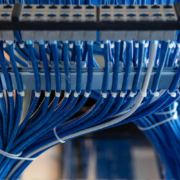
 

Clear the Digital Clutter

A new year is a natural time to reset and refresh. Most people think about cleaning their home, organizing their schedule, or setting new goals. One area that often gets overlooked is the digital space. Just like a cluttered room can weigh on your mind and slow you down, digital clutter can reduce your productivity, cause stress, and even create security risks.

At Remington Computer Services, we believe a clear digital space sets the stage for a more productive year. This blog will help you understand what digital clutter is, why it matters, and how to clear it in simple steps.

What Is Digital Clutter

Digital clutter is any unnecessary or disorganized information, files, or accounts that take up space and distract you from what is important. It can include old files, duplicate photos, unused apps, expired passwords, excessive notifications, and crowded email inboxes.

While digital clutter may feel harmless, it can slow your devices, make it harder to find information, and create confusion when working or studying.

Why Clearing Digital Clutter Matters

Clearing digital clutter has benefits that go beyond saving storage space. It can:

  • Improve the speed and performance of your computer or mobile device
  • Make it easier to find files and information when you need them
  • Reduce stress from digital overload
  • Strengthen your security by removing outdated software and old accounts
  • Help you focus on what matters most this year

Starting the new year with a clean digital environment can make your digital life feel more organized and manageable.

Simple Steps to Clear Digital Clutter

Here are practical steps you can take to clear digital clutter and start fresh this year:

  1. Clean Your Desktop and Folders
    A crowded desktop can make your computer feel chaotic. Move important files into organized folders and delete anything you no longer need.
  2. Sort Through Your Files
    Go through your documents, photos, and downloads. Delete duplicates and files you do not use. Create folders with clear names so you can find things quickly.
  3. Organize Your Email
    Old emails can build up over time. Unsubscribe from mailing lists you no longer read. Delete or archive messages that are no longer relevant. Set up folders to organize important topics.
  4. Review Your Apps
    Delete apps on your phone or computer that you do not use. Fewer apps can mean better performance and less distraction.
  5. Update Software and Passwords
    Update your operating system and software to the latest versions. Change passwords that are weak or outdated. Consider using a password manager to keep them secure and easy to access.
  6. Set Digital Habits for the Year
    Make simple habits part of your routine. Set a weekly time to clean up files. Turn off unnecessary notifications. Back up your important data regularly.

How a Clean Digital Space Helps You This Year

A clear digital space allows you to work, learn, and connect without distraction. You will spend less time searching for files and more time focused on the goals you set for yourself. A clean digital environment is also a safer one. By updating software and removing unused accounts, you reduce your risk of security problems.

Starting the new year with an organized digital life is a small step that can make a big difference in your daily routine.

Make This Year More Organized

Clearing digital clutter is a simple but powerful way to begin the new year with intention and clarity. It feels good to work in a clean space. Your computer and devices will run better. You will gain time back in your day. Most of all, you will set yourself up for a year of better focus and more productivity.

If you need help organizing your digital world or improving your technology setup, the team at Remington Computer Services is here to help.

Remington Computer Services has been serving the Rhode Island, Connecticut and Massachusetts area since 2010, providing IT Support such as technical helpdesk support, computer support and consulting to small and medium-sized businesses. Our experience has allowed us to build and develop the infrastructure needed to keep our prices affordable and our clients up and running. Schedule a complimentary consultation today. 
Managed Technology for Hybrid Workforces

The modern workforce is no longer tied to a single location. Employees log in from home offices, coworking spaces, and satellite hubs. For businesses seeking productivity and flexibility the hybrid work model has become the standard. To support this shift successfully businesses need reliable, secure, and scalable technology platforms that keep teams connected and protected. At Remington Computer Services we specialize in managed technology solutions for hybrid workforces. Here is why your business must embrace modern technology management and how to do it effectively.

The Shift to Hybrid Work

Over the past few years the shift toward hybrid work has accelerated. Many employees now expect the flexibility of working remotely while remaining connected to their team and tools. Businesses that lean into this model notice benefits like improved employee satisfaction and access to a broader talent pool. However, this transition also introduces new challenges around device management security compliance and network connectivity. Without a managed approach these challenges can lead to operational gaps and risk.

Key Technology Components for Hybrid Teams

Device Management and Endpoint Security
When employees work from multiple locations using a range of devices businesses must maintain control and consistency. Managed device provisioning remote patching and monitoring help ensure every endpoint meets your security standards.

Secure Remote Access
Hybrid work requires secure access to corporate networks applications and data no matter where an employee connects from. Virtual private networks cloud access solutions and zero trust architectures are key to keeping your business secure and connected.

Collaboration and Communication Tools
For hybrid teams to be productive they need reliable tools for chat meetings file sharing and project collaboration. Managed deployment and support of these technologies ensure that adoption is high and issues are addressed quickly.

Network Infrastructure and Connectivity
Many remote workers use home networks that are less secure and more variable in performance than corporate environments. Having managed monitoring and support for connectivity helps ensure remote employees experience the same reliability as those in office.

Data Protection and Continuity
With a distributed workforce your data is spread across locations and devices. Backups disaster recovery and secure cloud storage become critical. A managed technology provider can implement automated backup processes protect data mobility and ensure business continuity in case of disruption.

Why Managed Technology Matters

When you outsource your technology management to a trusted partner you gain several benefits. First, your internal team can focus more on strategic goals rather than firefighting devices or connectivity issues. Second, your business gains access to expertise that stays current with emerging threats and best practices. Third, your infrastructure becomes more predictable and scalable. All of these help support a hybrid workforce that is dynamic and secure.

How Remington Computer Services Supports Hybrid Work

At Remington Computer Services we build comprehensive managed technology packages tailored for hybrid models. We start with an assessment of your current device fleet network access and data flow. We then design a roadmap that includes endpoint management secure remote access collaboration tools and data protection. Our proactive monitoring and maintenance mean problems are caught early and resolved fast. We also provide regular reporting and strategic planning so you can align your technology with business goals.

Best Practices for Success

  • Define clear policies for remote access device use and data security.
  • Choose unified collaboration tools that support chat video meetings and document sharing.
  • Regularly update all devices apply patches and maintain security configurations.
  • Monitor network performance and connectivity for remote workers and support upgrades when needed.
  • Ensure backup and disaster recovery processes are tested and available across all locations.
  • Partner with a managed technology provider that offers 24/7 monitoring support and strategic guidance.

Supporting a hybrid workforce means more than giving employees remote access. It demands a fully managed technology ecosystem that ensures devices collaboration and data remain secure and reliable no matter where your team works. With the right managed technology partner your business can confidently scale hybrid work and maintain productivity. Remington Computer Services is ready to help you navigate this shift and build a technology foundation that matches your ambitions.

Remington Computer Services has been serving the Rhode Island, Connecticut and Massachusetts area since 2010, providing IT Support such as technical helpdesk support, computer support and consulting to small and medium-sized businesses. Our experience has allowed us to build and develop the infrastructure needed to keep our prices affordable and our clients up and running. Schedule a complimentary consultation today. 

Beyond Tech Support: Value-Driven MSP Services

Why the Shift from Reactive Support to Value-Based Service Matters

Many small and medium-sized businesses still think of an MSP (Managed Services Provider) as a vendor that “fixes things when they break.” But at Remington Computer Services, we believe that being purely reactive –“just tech support” – no longer delivers the competitive advantage your business needs.

Instead, the modern MSP must be a strategic partner, providing ongoing value in three key areas: prevention, email security, and vulnerability management. By focusing on these areas, the right MSP elevates your IT environment from a cost center into a driver of business stability, resilience, and growth.

The Value of Prevention

Prevention means monitoring, updating, patching, performing backups, and planning ahead – not waiting for something to fail. When systems are maintained proactively, you reduce downtime, protect data, and avoid costly emergency repairs.

For example, ensuring your infrastructure is updated, your backups are tested, and your software is patched prevents interruptions before they start. When issues are caught early, the fix is almost always simpler and cheaper.

How Remington Computer Services Helps

  • Continuous monitoring for early warning signs of hardware or software failure.
  • Scheduled maintenance, lifecycle management, and verified backups.
  • Strategic planning for upgrades, replacements, and scalability.

By shifting your MSP relationship into prevention mode, your business stays productive and secure—without the stress of constant emergencies.

Email Security: Defending the Frontline of Your Business

Email remains the number one target for cybercriminals. From phishing attempts to ransomware-laden attachments, email is where most breaches begin.
Managing email security means filtering threats, training employees, and enforcing secure access. Strong email protection prevents data breaches, financial fraud, and reputational damage. It also gives you peace of mind knowing your team’s inboxes are safe.

How Remington Computer Services Helps

  • Advanced spam and phishing filters that catch malicious content before it reaches users.
  • Employee awareness training to help staff spot red flags.
  • Identity management and multi-factor authentication to secure email access.
  • Fast incident response if a threat slips through, including containment and remediation.

By reinforcing your first line of defense, you protect your organization from one of the most common and costly forms of attack.

Vulnerability Management: Closing Gaps Before They’re Exploited

Vulnerability management means continuously identifying and addressing weaknesses in your IT environment before attackers do.

Every unpatched system, outdated application, or unsecured endpoint can open the door to cyber threats. Ongoing vulnerability assessments reduce exposure, prevent data breaches, and help you stay compliant with evolving regulations.

How Remington Computer Services Helps

  • Regular vulnerability scans and network assessments.
  • Prioritized patch management and system hardening.
  • Ongoing monitoring to detect and address new threats quickly.
  • Step-by-step mitigation when a vulnerability is discovered, ensuring rapid closure of risk points.

With this proactive approach, your technology becomes more resilient, not just reactive.

Putting It All Together: Your Value-Based MSP Strategy

A truly valuable MSP relationship is built on a foundation of prevention, security, and foresight.

  • Prevention keeps your systems stable and downtime low.
  • Email Security protects your communication channels and staff.
  • Vulnerability Management identifies and eliminates weak spots before they cause harm.

Together, these pillars form the backbone of a value-based IT strategy helping you reduce risk, protect data, and plan confidently for the future.

If you’re ready to stop viewing your MSP as “just tech support” and start leveraging IT as a strategic advantage, Remington Computer Services is here to help.

We’ll review your current systems, identify vulnerabilities, and build a roadmap that strengthens your technology from every angle keeping your business secure, efficient, and positioned for growth.

Remington Computer Services has been serving the Rhode Island, Connecticut and Massachusetts area since 2010, providing IT Support such as technical helpdesk support, computer support and consulting to small and medium-sized businesses. Our experience has allowed us to build and develop the infrastructure needed to keep our prices affordable and our clients up and running. Schedule a complimentary consultation today. 

Secret Link